
Agent security
AI coding agent configs as a malware entry point—and public leak
By Qlinnt · Published
Inspect AGENTS.md, CLAUDE.md, .claude/settings.json, .mcp.json, and .vscode/tasks.json before trusting any cloned repository, and block all dot-folders and IDE configs from being served on your live website.
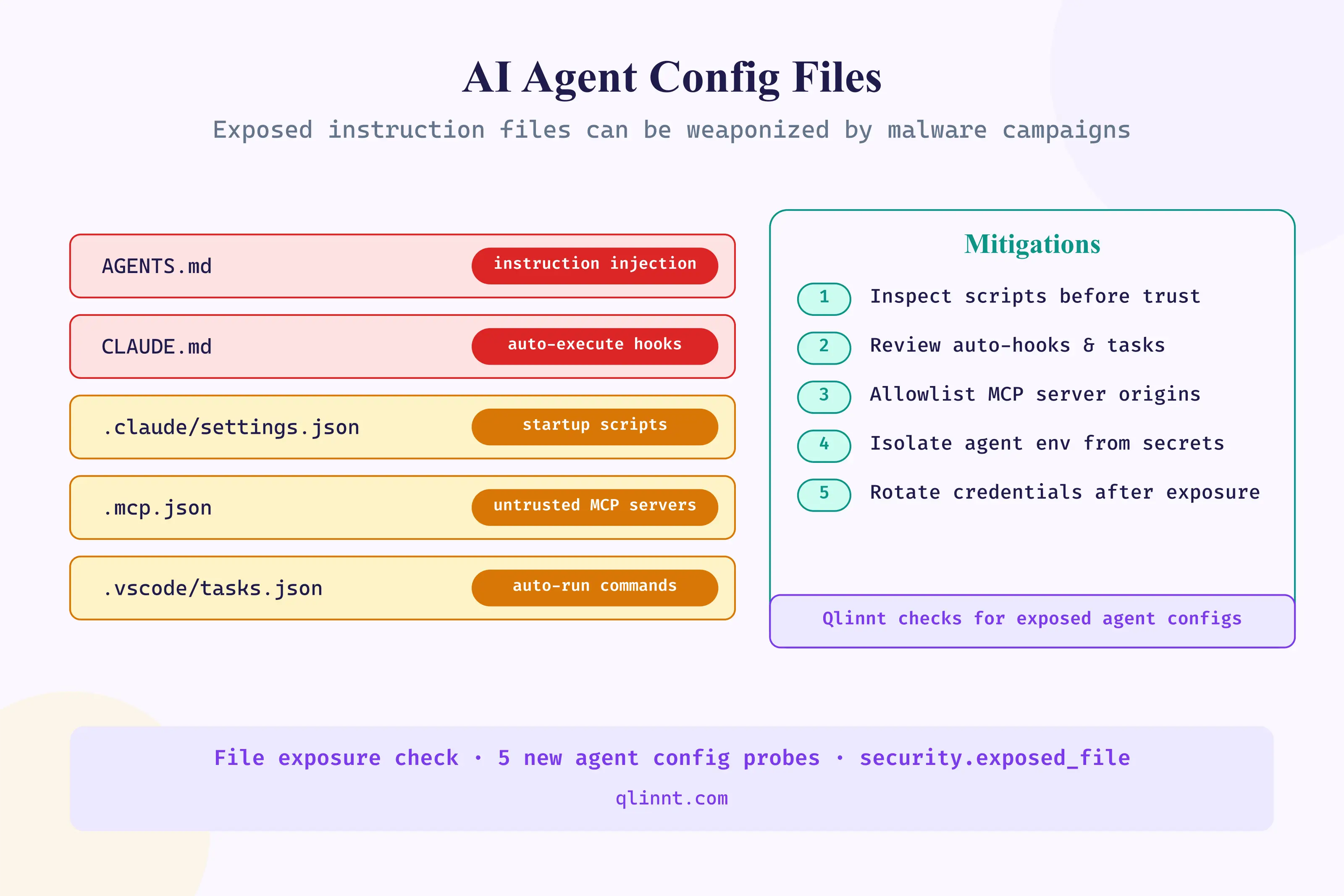
Understand the problem before changing your site
Coding assistants read workspace instruction and configuration files automatically when you open a repository. Security researchers have documented malware campaigns hiding setup commands, session hooks, or untrusted MCP servers inside AGENTS.md, CLAUDE.md, .claude/settings.json, .mcp.json, and .vscode/tasks.json.
There is a second, often overlooked risk for AI-built web apps: deploying the project root directly to static hosting or misconfigured servers can expose /.claude/settings.json, /.mcp.json, or /.vscode/tasks.json over public HTTPS, leaking internal commands, paths, or local environment variables.
What to review and how to reduce risk
- Inspect AGENTS.md, CLAUDE.md, .claude/settings.json, .mcp.json, and .vscode/tasks.json in a plain viewer before enabling workspace trust or running agent sessions on an external repo.
- Reject instructions that tell the agent to run opaque setup scripts without reading them, and disable unreviewed startup hooks or automatic VS Code tasks.
- Keep .claude/settings.local.json and personal MCP tokens out of Git using .gitignore, and never store production cloud or CI credentials inside local project configs.
- Configure your web host, CDN, or build pipeline so dotfiles and IDE directories (/.claude/, /.mcp.json, /.vscode/) are excluded from deployment artifacts and return 404.
- Run a public surface scan after every deployment to verify that none of these config paths are reachable on your live domain.
How to verify it with safe tests
In an isolated workspace with synthetic files, confirm that untrusted repo hooks do not run automatically and that your .gitignore blocks local agent settings.
After deploying your site, request /.claude/settings.json, /.mcp.json, and /.vscode/tasks.json on your production domain and verify they return 404 rather than JSON configuration payloads.
What Qlinnt can check and where its scope stops
Malicious instructions inside a repository affect your local developer machine or CI runner, which a public URL scanner cannot inspect because Qlinnt never connects to your GitHub repo or IDE.
What Qlinnt checks on the public web is whether /.claude/settings.local.json, /.claude/settings.json, /.mcp.json, or /.vscode/tasks.json were accidentally deployed and served over HTTP/HTTPS.
Questions before you scan
Can Qlinnt detect malware inside my private GitHub repo's AGENTS.md?
No. Qlinnt is strictly read-only on public URLs and has no repository access. Review repo configs locally before trusting a workspace.
Why does Qlinnt check /.mcp.json and /.claude/settings.json on my website?
Misconfigured static deployments sometimes publish the repository root, exposing internal tools, paths, or environment values to anyone on the internet.
Sources and further reading
Review your website's public surface
Scan a website you own or are authorized to assess. Verify your email to read the free diagnosis. The scan does not replace code tests or a specialist assessment.