
AI application security
Why a system prompt is never a safe place to store secrets
By Qlinnt · Published
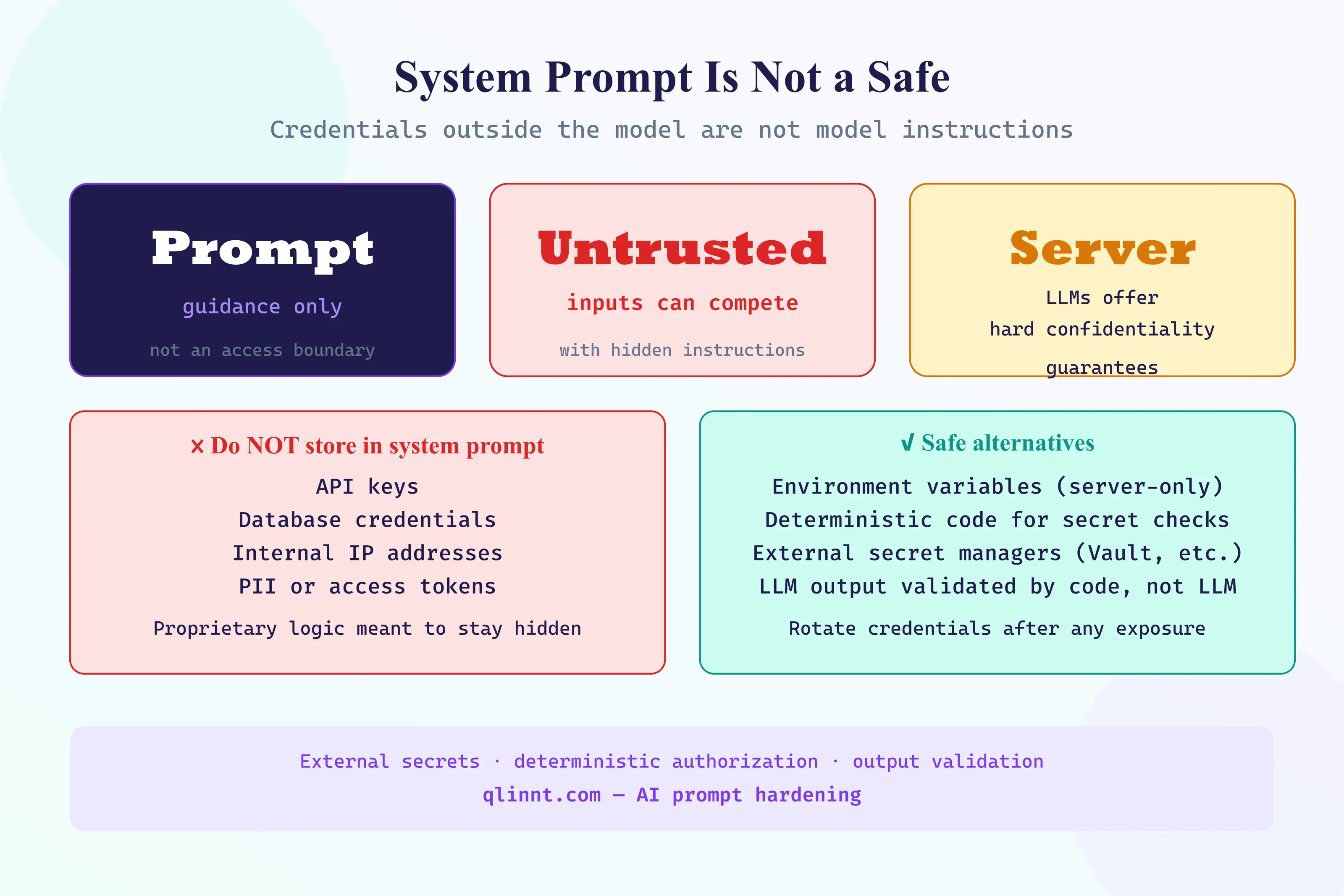
Never place API keys, tokens, internal credentials, or authorization rules inside an LLM system prompt. Enforce secrets and permissions deterministically in server code outside the model, and never trust model output as sole security proof.
Understand the problem before changing your site
When building AI features quickly, it is tempting to tell the model 'never reveal this token' or 'only allow admins to see X' inside the system prompt. Research on prompt-extraction attacks repeatedly shows that adversarial phrasing, roleplay, or language switching can coax models into disclosing hidden instructions.
A model has no cryptographic boundary between system instructions and untrusted user input or scraped web data. Any credential placed in a prompt—or bundled into client JavaScript—should be treated as exposed.
What to review and how to reduce risk
- Move all API keys, database tokens, and third-party secrets out of system prompts and client bundles into server-side environment variables.
- Enforce authorization, rate limits, and spending caps in deterministic backend code before calling any model.
- Isolate untrusted inputs (user text or external page metadata) inside explicit delimiters and validate model outputs before displaying or caching them.
- Never rely on an LLM alone to confirm a critical vulnerability or bypass deterministic security checks.
- Audit your published frontend bundles to ensure no fallback keys or internal endpoints leaked into client code.
How to verify it with safe tests
Write automated unit tests verifying that prompt builders delimit untrusted external fields and reject outputs that echo internal instructions or exceed length limits.
Run a public scan on your deployed web app to confirm no API keys, Supabase service tokens, or sensitive config files appear in client JavaScript.
What Qlinnt can check and where its scope stops
Qlinnt checks your public website for exposed client secrets, open Supabase reads, and misconfigured files; it does not run conversational red-teaming against third-party AI chat widgets.
Keep prompt-injection defenses and output validation in your backend test suite alongside public surface scans.
Questions before you scan
If I instruct an LLM never to repeat a secret, is that safe?
No. System prompts are guidance to a probabilistic model, not an access control boundary.
What does Qlinnt check related to leaked secrets?
Qlinnt scans public HTML and client-side JavaScript bundles for exposed API keys and checks common sensitive config paths.
Sources and further reading
Review your website's public surface
Scan a website you own or are authorized to assess. Verify your email to read the free diagnosis. The scan does not replace code tests or a specialist assessment.