
DOM security
DOM XSS via innerHTML and <selectedcontent>: what to check
By Qlinnt · Published
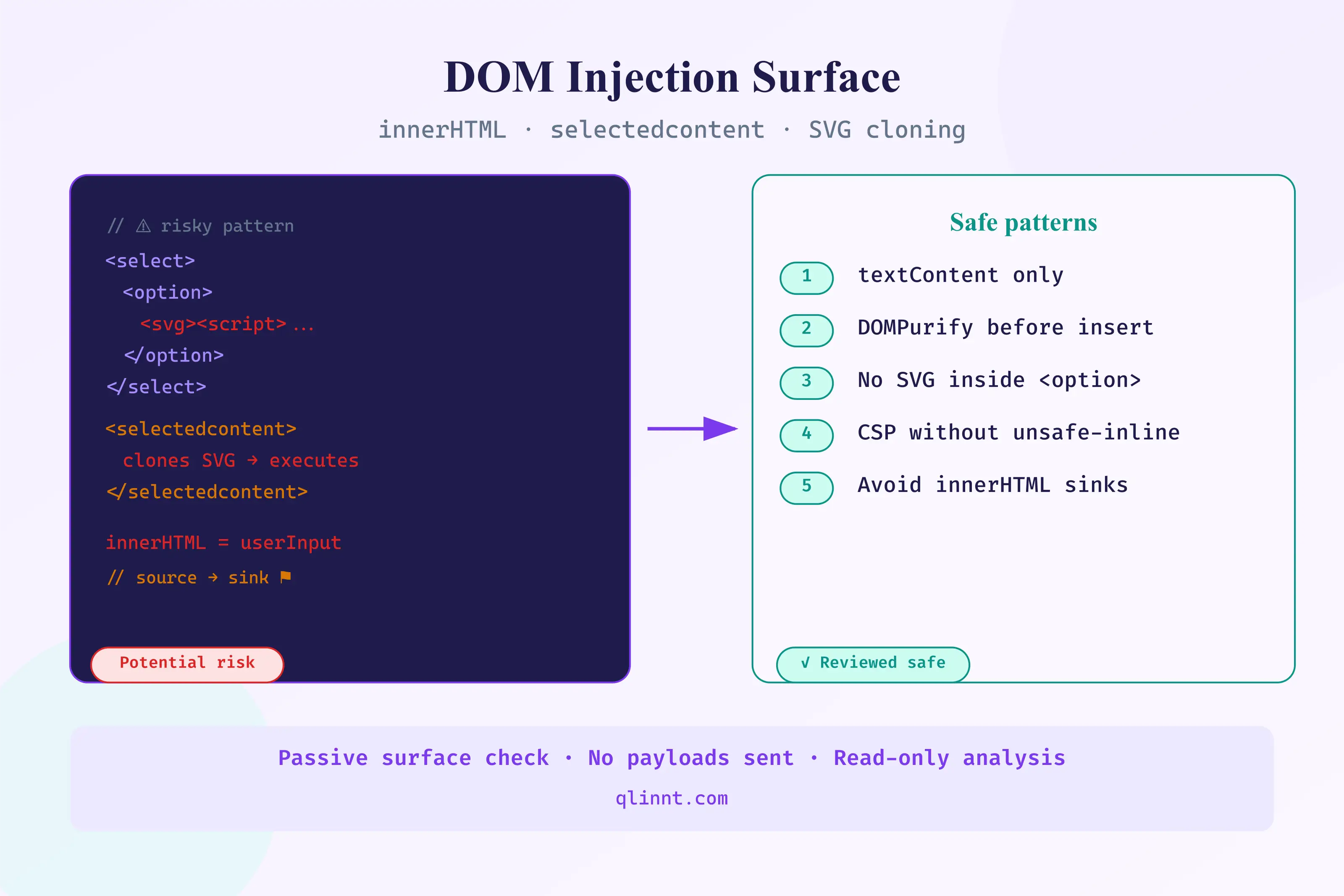
Avoid inserting untrusted HTML with innerHTML, outerHTML, or insertAdjacentHTML, and keep <option> elements inside customizable <select>/<selectedcontent> controls free of untrusted SVG or active markup. Use textContent, explicit DOM APIs, or maintained sanitization plus strict CSP.
Understand the problem before changing your site
Many developers assume blocking inline attributes or '=' signs stops HTML injection inside innerHTML. Recent browser research shows that newer HTML features—such as <selectedcontent> inside customizable <select> elements—can automatically clone <option> subtrees containing <svg> nodes into the rendered DOM.
When an application feeds URL parameters, hash fragments, or unsanitized templates into HTML sinks, subtle engine-specific cloning rules can revive execution paths even after naive filtering. The underlying fix is architectural: separate data from markup instead of patching individual characters.
What to review and how to reduce risk
- Audit every innerHTML, outerHTML, insertAdjacentHTML, and document.write call for values coming from location.search, location.hash, window.name, document.referrer, or user input.
- Replace HTML-writing sinks with textContent or explicit document.createElement + textContent assignments wherever rich HTML is not strictly required.
- If customizable <select> and <selectedcontent> are used, restrict <option> children to plain text or trusted, statically compiled templates—never render untrusted HTML or SVG inside <option>.
- When rich HTML must be rendered, sanitize immediately before insertion using a maintained sanitizer such as DOMPurify, and avoid re-parsing or cloning sanitized fragments into new HTML contexts.
- Enforce a Content-Security-Policy without 'unsafe-inline' (using nonces or hashes) as defense in depth across routes.
How to verify it with safe tests
Create isolated local fixtures with benign controls (plain <select>, textContent sinks, sanitized HTML) and risk patterns (<selectedcontent> with <svg> in <option>, unvalidated URL source to innerHTML) using harmless synthetic markers.
Verify across supported browser engines that your sanitizer or DOM builder strips unexpected tags and never turns synthetic marker strings into executed scripts. Never run active payload tests against third-party sites.
What Qlinnt can check and where its scope stops
Qlinnt checks your public surface in read-only mode without sending attack payloads to your forms or query strings. Its passive DOM XSS surface check flags <selectedcontent> paired with SVG/active <option> markup and observable inline-script source-to-sink patterns for review.
Absence of a finding does not prove that compiled client bundles or backend-stored inputs are free of DOM XSS. Combine public surface scans with code review and automated unit/browser tests in your CI pipeline.
Questions before you scan
Does <selectedcontent> with an SVG automatically mean my site has XSS?
No. It marks a surface to review. Exploitation requires untrusted input reaching that markup in a vulnerable browser context.
Is stripping '=' or 'on' attributes enough to make innerHTML safe?
No. Character blocklists miss parser quirks and newer DOM cloning behaviors. Use textContent or a maintained HTML sanitizer.
Sources and further reading
Review your website's public surface
Scan a website you own or are authorized to assess. Verify your email to read the free diagnosis. The scan does not replace code tests or a specialist assessment.